



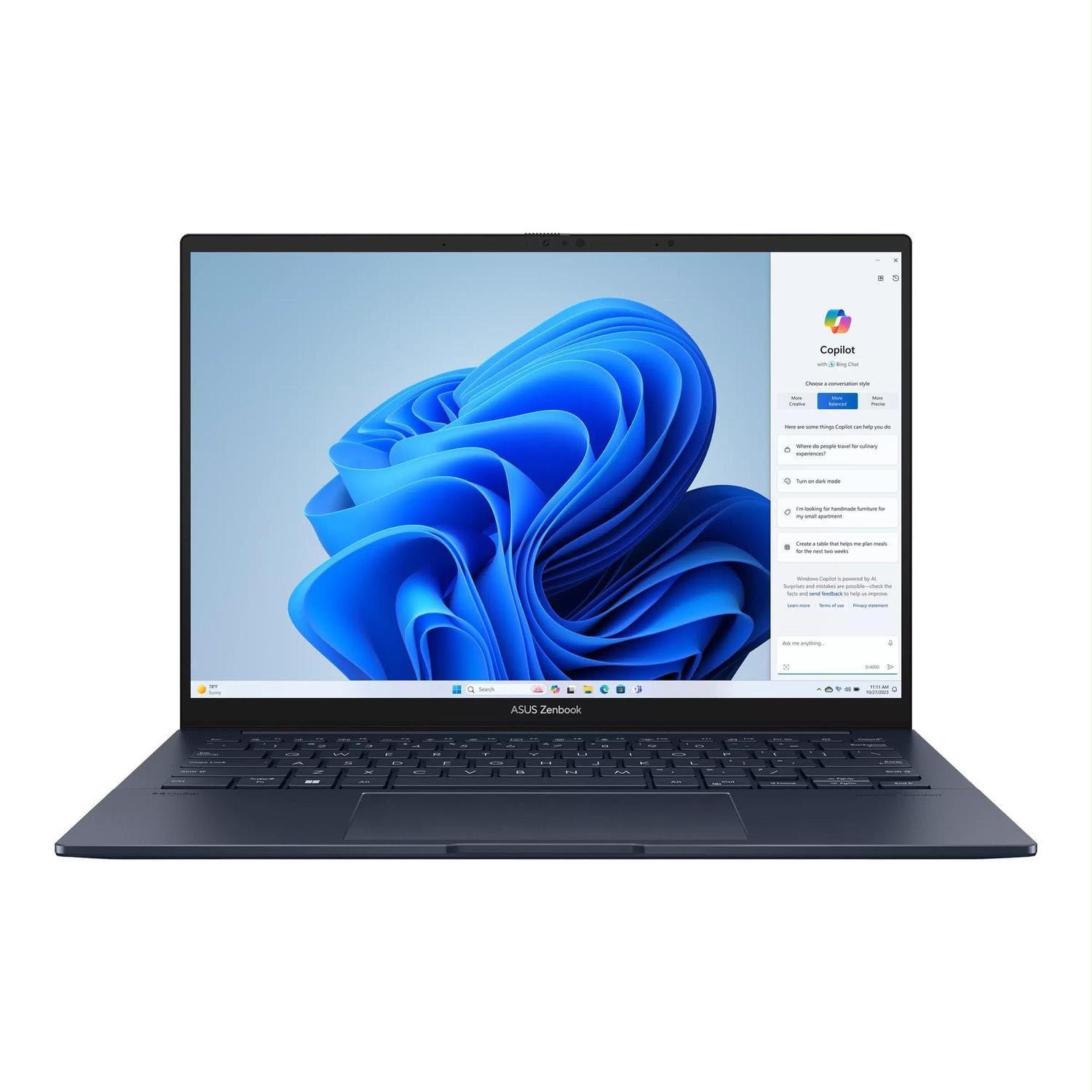
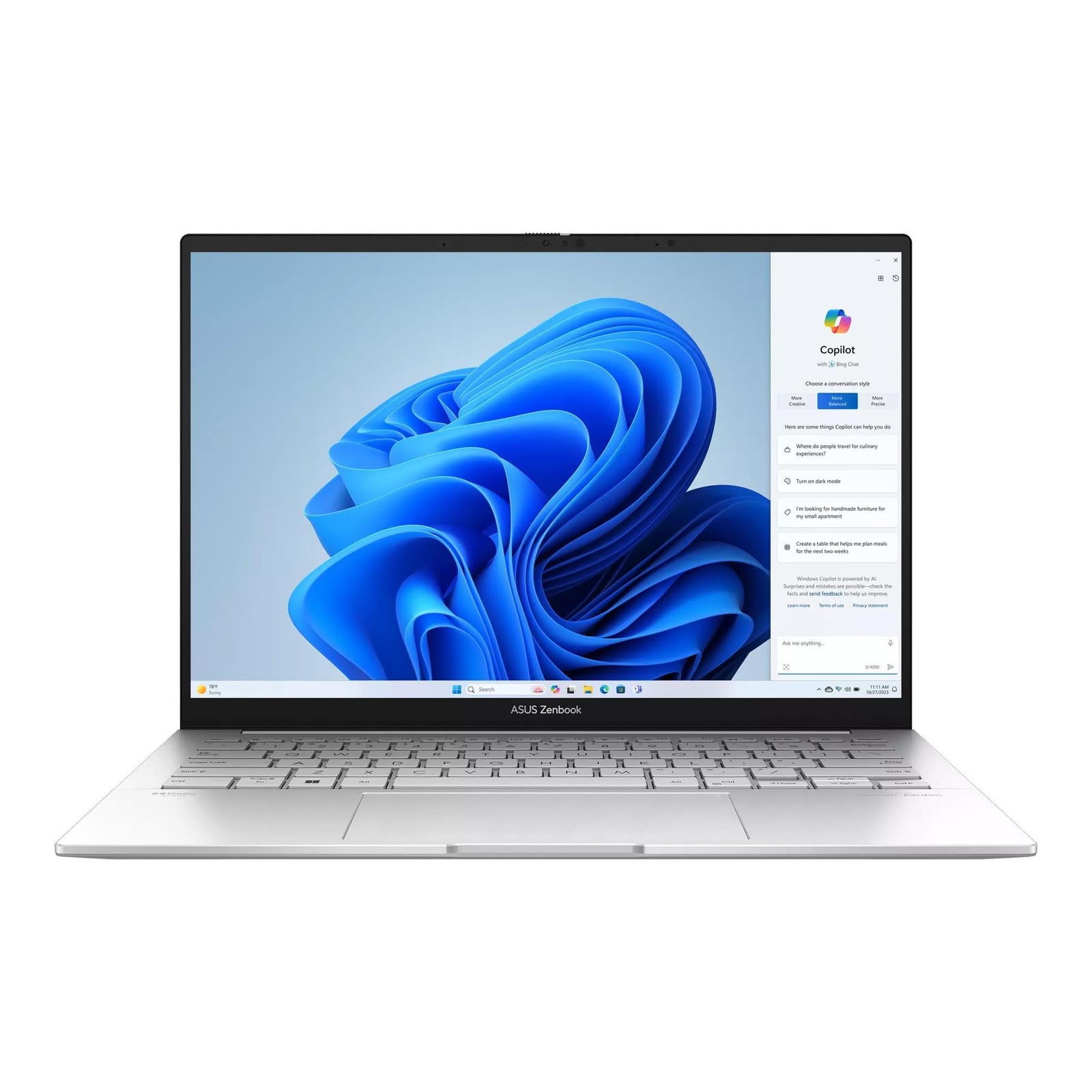
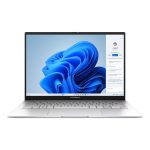
The ASUS Zenbook 14 UX3405CA (2025) combines the Intel Core Ultra 9 285H with 32GB LPDDR5X memory, Intel Arc 140T graphics and a 14-inch 2.8K 120Hz OLED display. Its thin-and-light design is suited to demanding productivity, programming, study, office work, content creation and everyday use while remaining practical for users who regularly carry their laptop.
Why Choose the ASUS Zenbook 14 (2026) UX3405CA?
The ASUS Zenbook 14 UX3405CA is a good fit for users who want a portable laptop that feels responsive in everyday professional and personal use. It combines a premium display experience, efficient performance, a lightweight build and practical connectivity in a compact design suited to work, study and regular travel.
- Smooth everyday performance for office work, study, browsing, programming and multitasking
- Premium OLED viewing experience for documents, entertainment and color-focused creative work
- Slim and lightweight construction makes it comfortable to carry between home, office, university and meetings
- Efficient hardware and a large battery make it practical for users who regularly work away from a desk
- AI-ready processing provides additional support for compatible productivity, communication and creative applications
- All-metal construction gives the laptop a more premium and durable feel for everyday use
- Versatile connectivity makes it easy to connect external displays, storage devices and common accessories
ASUS Zenbook 14 UX3405CA Full Specifications
Product Information
| Specification | Details |
|---|---|
| Brand | ASUS |
| Series | ASUS Zenbook |
| Model | UX3405CA |
| Product Name | ASUS Zenbook 14 (2025) |
| China Market Name | ASUS Lingyao 14 (华硕灵耀14) |
| Product Type | Thin-and-light AI laptop |
Processor & Performance
| Specification | Details |
|---|---|
| Processor | Intel Core Ultra 9 285H |
| Processor Series | Intel Core Ultra Series 2 |
| Architecture | Arrow Lake-H |
| CPU Lithography | TSMC N3B |
| Cores / Threads | 16 cores / 16 threads |
| Core Configuration | 6 P-cores + 8 E-cores + 2 Low Power E-cores |
| Maximum Turbo Frequency | Up to 5.4GHz |
| Cache | 24MB Intel Smart Cache |
| Processor Base Power | 45W |
Graphics & AI
| Specification | Details |
|---|---|
| Graphics | Intel Arc 140T integrated GPU |
| Xe Cores | 8 |
| Maximum GPU Frequency | 2.35GHz |
| NPU | Intel AI Boost |
| NPU Performance | Up to 13 TOPS |
| GPU AI Performance | Up to 77 TOPS |
| Overall Platform AI Performance | Up to 99 TOPS |
| Media Support | AV1 hardware encode/decode and Intel Quick Sync Video |
Memory & Storage
| Specification | Details |
|---|---|
| Memory | 32GB LPDDR5X onboard RAM |
| Memory Speed | 7467MT/s |
| Memory Channels | Dual-channel |
| Maximum Installed Memory | 32GB |
| RAM Upgrade | Not user-upgradable |
| Storage | 512GB or 1TB M.2 NVMe PCIe 4.0 SSD |
| SSD Slot | 1 × M.2 2280 PCIe 4.0 ×4 |
Display
| Specification | Details |
|---|---|
| Display Size | 14 inches |
| Display Type | ASUS Lumina OLED |
| Resolution | 2.8K (2880 × 1800) |
| Aspect Ratio | 16:10 |
| Refresh Rate | 120Hz with Variable Refresh Rate |
| Response Time | 0.2ms |
| Typical Brightness | 400 nits |
| HDR Peak Brightness | 600 nits |
| Color Gamut | 100% DCI-P3 |
| Color Modes | Multiple selectable color-gamut modes through ASUS display software |
| Color Accuracy | ΔE < 1 |
| Color Depth | 1.07 billion colors |
| Contrast Ratio | 1,000,000:1 |
| HDR | VESA DisplayHDR True Black 600 |
| Touchscreen | No |
| Dimming | DC dimming supported |
| Eye Care | Approximately 70% reduced harmful blue light with flicker-reduction technology |
| Display Certifications | TÜV Rheinland and SGS Eye Care |
| Ambient Sensor | Automatic brightness and color-temperature adjustment |
Keyboard, Touchpad, Camera & Audio
| Specification | Details |
|---|---|
| Keyboard | Backlit chiclet keyboard with 1.4mm key travel |
| Touchpad | Precision touchpad with ASUS NumberPad support |
| Camera | FHD 1080p camera with IR facial recognition |
| Camera Privacy | Physical privacy shutter |
| Biometric Sign-in | Windows Hello facial recognition |
| Camera Features | AI-assisted video features |
| Microphone | Built-in array microphone with AI noise canceling |
| Audio | Built-in speakers with Smart Amp technology |
Ports & Connectivity
| Specification | Details |
|---|---|
| Thunderbolt | 2 × Thunderbolt 4 with display output, Power Delivery and up to 40Gbps data transfer |
| USB-A | 1 × USB 3.2 Gen 1 Type-A, up to 5Gbps |
| HDMI | 1 × HDMI 2.1 TMDS |
| Audio Jack | 1 × 3.5mm combo audio jack |
| Wireless | Wi-Fi 6E or Wi-Fi 7 with Bluetooth, depending on configuration |
Battery & Charging
| Specification | Details |
|---|---|
| Battery | 75Wh 4-cell Li-ion |
| Power Adapter | 65W USB-C AC adapter |
| Charging | USB-C Power Delivery through Thunderbolt 4 |
| Advertised Battery Life | Up to 18 hours of local 1080p video playback |
Battery life varies with display brightness, workload, wireless connectivity, performance mode and other usage conditions.
Design & Durability
| Specification | Details |
|---|---|
| Chassis | All-metal construction |
| Weight | Approximately 1.20kg |
| Dimensions | Approximately 31.24 × 22.01 × 1.39–1.49cm |
| Thickness | Approximately 13.9–14.9mm |
| Colors | Silver and Blue options, depending on stock configuration |
| Durability | US MIL-STD-810H military-grade testing |
Software & Security
| Specification | Details |
|---|---|
| Operating System | Windows 11 compatible; preinstalled edition may vary by configuration |
| Security | IR facial recognition and firmware TPM |
| ASUS Software | MyASUS, ScreenXpert and GlideX |
| OLED Protection | ASUS OLED Care |
| Warranty | Coverage depends on the warranty plan selected with the product |
Intel Core Ultra 9 285H Performance
The Core Ultra 9 285H is a 16-core Intel Core Ultra Series 2 processor built for demanding mobile workloads. Its combination of six performance cores, eight efficiency cores and two low-power efficiency cores gives the Zenbook 14 enough processing capacity for heavy browser use, programming environments, large spreadsheets, office applications, photo editing and other multitasking workloads.
The processor can boost to 5.4GHz and includes 24MB of Intel Smart Cache. Performance under long sustained workloads can vary with the laptop’s power mode, temperature and cooling conditions.
ASUS Zenbook 14 UX3405CA Benchmark Reference
Public benchmark results from ASUS Zenbook 14 UX3405CA systems with the Core Ultra 9 285H provide a useful reference for the laptop’s processing and productivity performance.
- Geekbench 6: 2,676 single-core and 15,204 multi-core
- PCMark 10: 7,140 overall score
- PCMark 10 Essentials: 10,266
- PCMark 10 Productivity: 9,178
- PCMark 10 Digital Content Creation: 10,486
Benchmark results vary with BIOS version, drivers, Windows settings, power mode, cooling conditions and background applications, so individual units may produce different scores.
Intel Arc 140T Graphics and AI Performance
The Core Ultra 9 285H includes Intel Arc 140T integrated graphics with 8 Xe cores and a maximum graphics frequency of 2.35GHz. It supports AV1 hardware encoding and decoding, Intel Quick Sync Video and GPU acceleration for compatible creative and media applications.
Intel Arc 140T is suitable for productivity, high-resolution media, creative applications and lighter gaming, but it is not a replacement for a dedicated gaming GPU. Users whose main workloads involve demanding AAA gaming, CUDA applications or heavy professional 3D rendering should consider a laptop with dedicated NVIDIA graphics.
The Intel AI Boost NPU provides up to 13 TOPS for compatible AI workloads, while the complete Core Ultra 9 285H platform reaches up to 99 TOPS across the CPU, GPU and NPU.
2.8K 120Hz ASUS Lumina OLED Display
The 14-inch 2880 × 1800 OLED display uses a 16:10 aspect ratio, providing more vertical workspace for documents, spreadsheets, web pages and development tools. The 120Hz refresh rate also makes scrolling, animations and motion appear smoother than on a standard 60Hz panel.
With 100% DCI-P3 coverage, a 1,000,000:1 contrast ratio, 0.2ms response time and DisplayHDR True Black 600 certification, the panel is well suited to movies, photography, design work and other color-focused content.
32GB Memory and PCIe 4.0 Storage
The 32GB LPDDR5X memory provides enough capacity for heavier multitasking, including multiple browser tabs, office applications, development tools and creative software running together. The memory is soldered to the motherboard, so it is not designed for future RAM upgrades.
SidTech offers 512GB and 1TB PCIe 4.0 NVMe SSD configurations on this product page. Storage uses an M.2 2280 PCIe 4.0 ×4 slot.
Portable Design and 75Wh Battery
At around 1.2kg, the Zenbook 14 UX3405CA is easy to carry between home, office, university and meetings. Its 75Wh battery provides a relatively large battery capacity for a compact 14-inch laptop, while the 65W USB-C adapter allows charging through the Thunderbolt 4 ports.
Ports and Everyday Connectivity
The Zenbook 14 includes two Thunderbolt 4 ports for high-speed data, external displays and USB-C Power Delivery. It also provides USB-A for conventional accessories, HDMI 2.1 for external monitors or TVs and a 3.5mm combination audio jack.
Camera, Privacy and Online Meetings
The FHD camera includes infrared facial recognition for Windows Hello and a physical privacy shutter. A built-in microphone array with AI noise canceling also helps make the laptop practical for online meetings, remote work and virtual classes.
Who Is the ASUS Zenbook 14 UX3405CA For?
The Zenbook 14 UX3405CA is best suited to users who want strong processor performance, plenty of memory and a high-quality OLED display without carrying a large gaming laptop.
- Professionals handling office applications, large spreadsheets and frequent multitasking
- Programmers and developers who benefit from 32GB of memory and a high-resolution 16:10 display
- University students who want performance in a lightweight 14-inch laptop
- Photographers, designers and content creators who value an OLED display with 100% DCI-P3 coverage
- Business users and frequent travellers who need a compact laptop with Thunderbolt 4 and USB-C charging
ASUS Zenbook 14 UX3405CA Price in Bangladesh
The ASUS Zenbook 14 UX3405CA price in Bangladesh varies according to the selected SSD, color and warranty option. SidTech offers 512GB and 1TB SSD configurations on this page. Select your preferred configuration above to view the current price and available warranty coverage.
Frequently Asked Questions
Can the RAM be upgraded on the ASUS Zenbook 14 UX3405CA?
No. The 32GB LPDDR5X RAM is onboard and cannot be upgraded later.
Does the ASUS Zenbook 14 UX3405CA have dedicated graphics?
No. It uses Intel Arc 140T integrated graphics built into the Intel Core Ultra 9 285H processor.
Can the SSD be upgraded on the ASUS Zenbook 14 UX3405CA?
Yes. The laptop uses an M.2 NVMe PCIe 4.0 SSD, so the installed SSD can be replaced with a compatible higher-capacity drive.
Is the ASUS Zenbook 14 UX3405CA display touchscreen?
No. This configuration uses a non-touch 14-inch 2.8K 120Hz OLED display.
What warranty is available with the ASUS Zenbook 14 UX3405CA?
Warranty coverage depends on the warranty option selected with the product. Check the selected warranty plan before placing your order.
Reviews
Clear filtersThere are no reviews yet.