


In stock
In stock
In stock
In stock
In stock
In stock
In stock
In stock
In stock
In stock
In stock
HP Omen Gaming Laptop Buying Guide for Bangladesh: Series, RTX Graphics & Performance
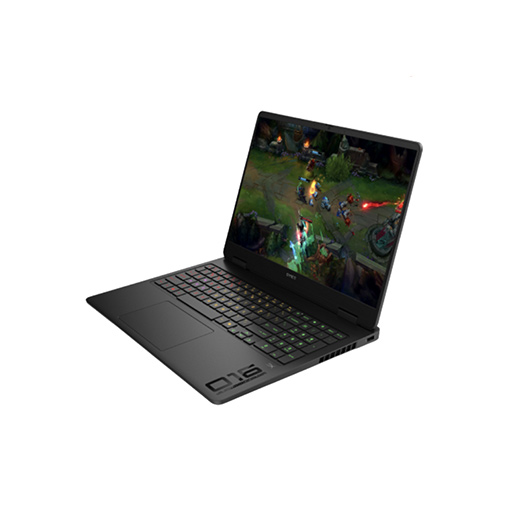
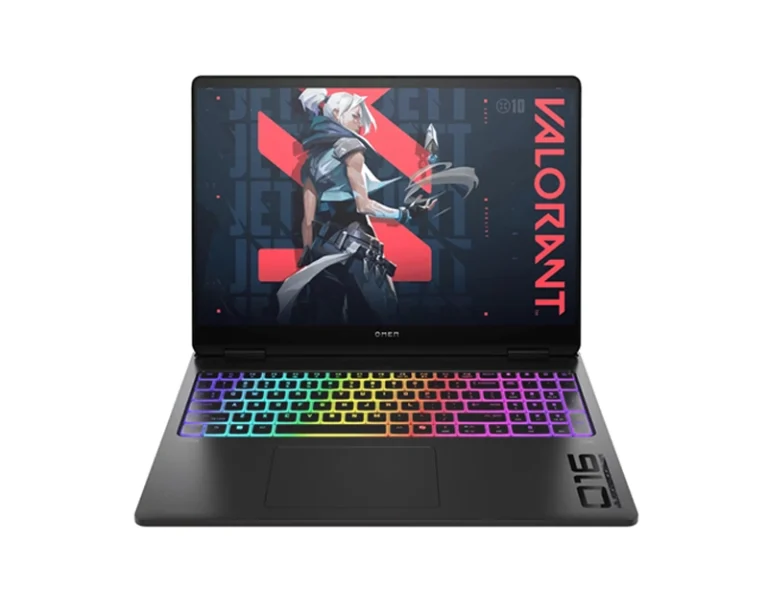
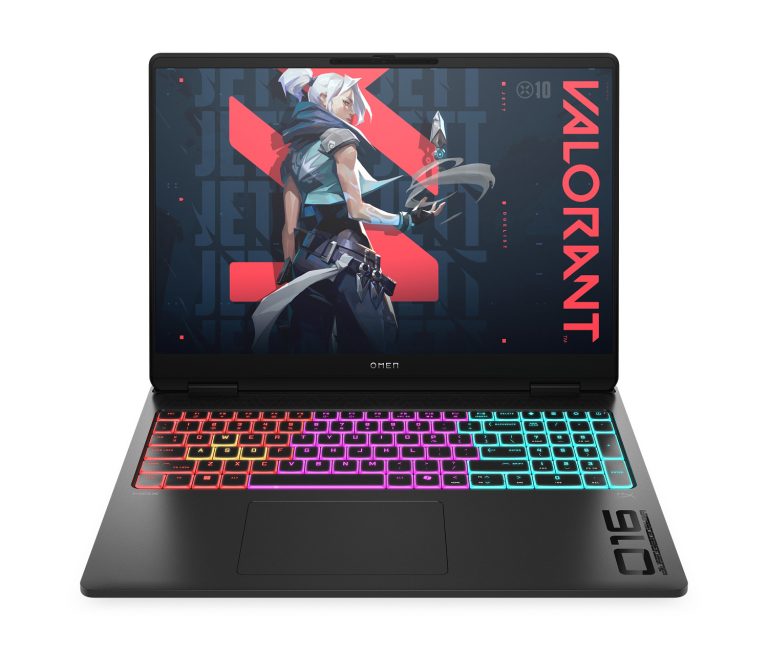
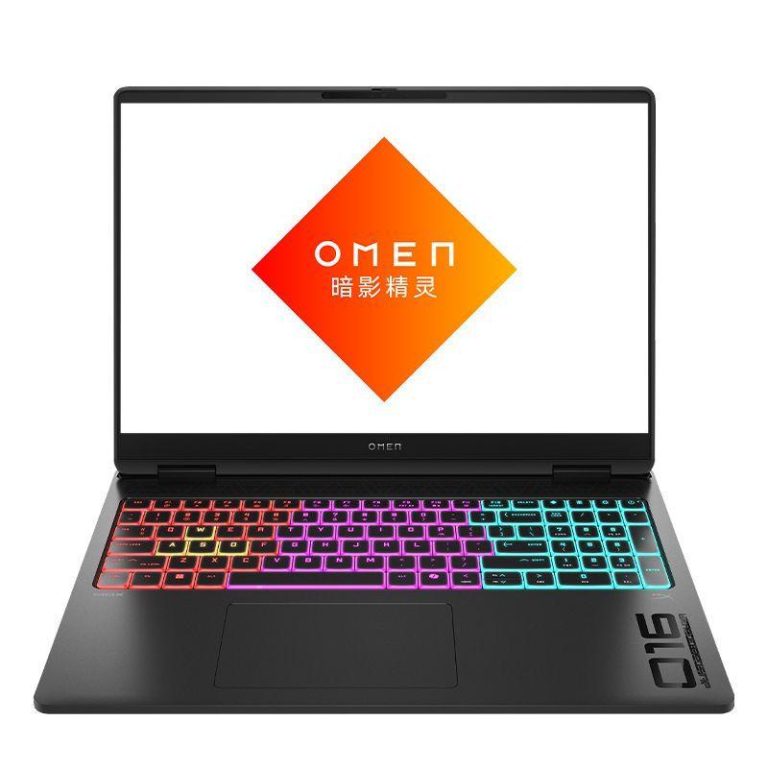
HP Omen is HP's performance-focused gaming family, positioned above the more value-oriented Victus range. The wider lineup includes the standard Omen 16, larger Omen 17, portable Omen Transcend and higher-performance Omen MAX 16.
These models can differ substantially even when they share a similar screen size or RTX GPU. Processor class, GPU tier, display resolution, refresh rate, memory, cooling capacity and upgrade options all vary across the family.
The current range is concentrated mainly around Omen 16 and Omen MAX 16 configurations, including RTX 50-series graphics and 2.5K high-refresh displays. Newer Omen 16 models also extend into Intel Core Ultra and AMD Ryzen AI platforms with RTX 5060 and RTX 5070 graphics.
HP Omen Series Overview: Omen 16, MAX 16, Omen 17 & Transcend
HP uses the Omen name across several chassis and hardware directions rather than one fixed gaming-laptop design.
| HP Omen Series | Main Focus | Typical Hardware Direction | Better Fit For |
|---|---|---|---|
| Omen 16 | Balanced high-performance gaming | Core i7/Core Ultra/Ryzen 9, RTX 50-series, 16GB-32GB DDR5, high-refresh 16-inch display | Serious gamers, creators, mixed gaming and productivity |
| Omen MAX 16 | Maximum performance and higher power limits | Core Ultra HX/Ryzen AI HX, higher RTX tiers, advanced cooling, 32GB-64GB support | Enthusiasts, high-FPS gaming, heavy creator workloads |
| Omen 17 | Larger-screen gaming | Ryzen/Core processors, RTX graphics, up to 17.3-inch high-refresh display | Buyers prioritizing screen size and desktop-replacement use |
| Omen Transcend 14 | Thin and portable gaming/creator laptop | Core Ultra, RTX graphics, OLED, compact all-metal chassis | Creators and gamers who travel frequently |
| Omen Transcend 16 | Premium portable performance | High-performance CPU, dedicated RTX graphics, premium display options | Gaming and creator work with a thinner design |
Omen 16 covers balanced high-performance gaming, Omen MAX 16 moves into higher CPU/GPU power and more aggressive cooling, Omen 17 adds a larger built-in display, while Omen Transcend places more emphasis on portability and premium display hardware. The existing comparison table already separates these ranges clearly and can remain.
HP Omen 16 Gaming Laptop: Performance, RTX GPU & Display Options
Omen 16 covers one of the widest hardware ranges within the current Omen family.
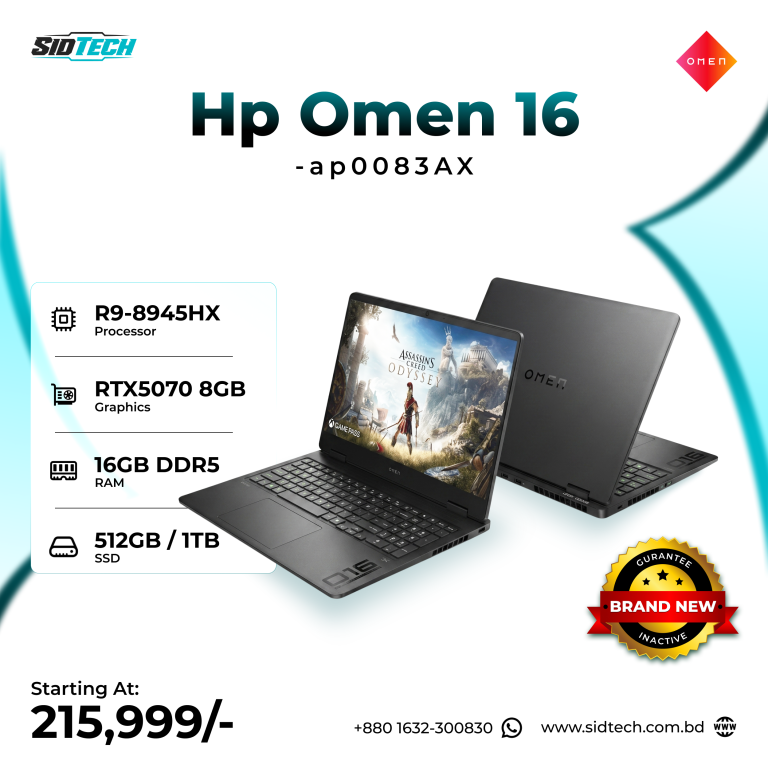
Available configurations include processors such as the Intel Core i7-14650HX and AMD Ryzen 9 8945HX, paired with RTX 5050, RTX 5060 or RTX 5070 graphics. Memory and storage can also vary between 16GB and 32GB RAM and 512GB or 1TB SSD options.
This creates several distinct performance levels within the same Omen 16 family.
RTX 5050 sits at the lower end of the current RTX 50-series range, RTX 5060 adds more graphics headroom, and RTX 5070 moves further into higher GPU performance.
Display options also vary considerably, from 1920×1200 high-refresh panels to 2560×1600 240Hz IPS displays with 100% sRGB coverage and 500-nit brightness on supported configurations.
So with Omen 16, the real buying decision is not simply whether to buy an Omen. It is choosing the correct combination of CPU, GPU and display.
HP Omen MAX 16: Higher-Power RTX Gaming & 2.5K 240Hz Displays
Omen MAX 16 sits above the standard Omen 16 with higher power limits, stronger processor options and more advanced performance hardware.
Current configurations include the Intel Core Ultra 7 255HX with RTX 5060 8GB graphics, 16GB or 32GB DDR5 RAM, 1TB SSD options and a 16-inch 2560×1600 240Hz IPS display with 500-nit brightness and 100% sRGB coverage. The referenced RTX 5060 configuration is specified at up to 115W GPU power.
Higher MAX configurations extend to Core Ultra 9 HX processors, up to 64GB DDR5 memory, larger NVMe storage and higher RTX GPU tiers. Selected models can also use 2.5K 240Hz OLED displays.
Omen MAX is therefore built around a higher performance ceiling rather than simply being another Omen 16 variant.
The additional power, cooling and higher-tier hardware distinguish it from the standard Omen range.
HP Omen 17: Larger 17.3-Inch Gaming Display
Omen 17 takes a different approach by giving the gaming hardware more physical screen space.
Current configurations can combine 17.3-inch QHD high-refresh displays with dedicated RTX graphics, including Ryzen processors, RTX graphics reaching up to RTX 5070 and refresh rates up to 240Hz depending on model.
The larger chassis can also be useful when a laptop is being treated more like a desktop replacement.
Compared with 14-inch and 16-inch systems, the additional display size also increases overall dimensions and weight, making Omen 17 a different portability class from smaller Omen models.
HP Omen Transcend: Thin Gaming Laptops with OLED Displays
Omen Transcend is intended for buyers who want the performance character of Omen but prefer a slimmer and more premium design.
The Omen Transcend 14, for example, combines Intel Core Ultra processors with dedicated NVIDIA graphics and a 2.8K 120Hz OLED display with 100% DCI-P3 coverage. HP lists configurations with up to 32GB LPDDR5x memory and up to RTX 4070 graphics.
The difference from a standard Omen 16 is therefore less about whether the laptop can run games and more about the balance between performance, display quality, physical size and portability.
For creators who also game, the OLED display and lighter chassis can be particularly relevant. For someone who wants the highest sustained GPU power and more upgrade flexibility, a larger Omen or Omen MAX may still be the better direction.
Which HP Omen Gaming Laptop Is Right for Your Performance Needs?
Choosing an Omen by use case is more useful when the workloads are performance-related rather than basic everyday tasks.
| Requirement | Omen Direction | GPU Level to Consider | RAM | Storage | Display Priority |
|---|---|---|---|---|---|
| Competitive gaming | Omen 16 / MAX 16 | RTX 5060-5070 | 16GB-32GB | 1TB preferred | 165Hz-240Hz |
| AAA gaming at 2.5K | Omen 16 / MAX 16 | RTX 5060-5070+ | 16GB-32GB | 1TB | QHD/2.5K high refresh |
| Gaming + streaming | Omen 16 | RTX 5060-5070 | 32GB preferred | 1TB | 165Hz-240Hz |
| Video and creator work | Omen 16 / MAX / Transcend | RTX 5060 or higher | 32GB preferred | 1TB+ | 100% sRGB/DCI-P3 |
| 3D / rendering workloads | Omen MAX 16 | Higher RTX tier | 32GB-64GB | 1TB-2TB | High-resolution panel |
| Portable gaming + creation | Omen Transcend | Dedicated RTX | 16GB-32GB | 1TB | OLED preferred |
| Large-screen gaming | Omen 17 | RTX 5060-5070 | 16GB-32GB | 1TB | 17.3-inch QHD |
If the laptop will mainly be used for competitive gaming, refresh rate and consistent GPU output matter heavily. If the same machine will also handle professional visual work, screen resolution, brightness and color coverage deserve much more attention.
Intel Core, Core Ultra or AMD Ryzen: Best CPU Options for HP Omen
The processor range across Omen is broad enough that looking only at the words “Intel” or “AMD” is not enough.
Current configurations include the Core i7-14650HX and higher Core i9-14900HX, both designed for sustained CPU performance above typical thin-and-light processors.
Newer Omen models increasingly use Intel Core Ultra processors. HP Bangladesh currently lists the Core Ultra 7 255H in Omen 16 configurations, while Omen MAX moves up to HX-class Core Ultra processors such as the Ultra 7 255HX and higher-end Ultra 9 options.
AMD configurations include Ryzen 9 8945HX systems and newer Ryzen AI platforms. A referenced Ryzen 9 8940HX configuration combines 16 cores, 32 threads, 32GB DDR5 RAM and RTX 5070 graphics.
If gaming is the primary workload, do not spend the entire budget on the CPU while stepping down too far on the GPU. Once the processor is strong enough for the target frame rate, the GPU usually has a greater effect on gaming performance.
For buyers combining gaming with rendering, simulation, compiling or other CPU-heavy work, moving to a higher-core HX processor can make considerably more sense.
HP Omen RTX 5050 vs RTX 5060 vs RTX 5070
The current Omen lineup includes several 16-inch configurations with RTX 5050, RTX 5060 and RTX 5070 graphics. GPU tier creates one of the largest differences between models that may otherwise use similar chassis, memory or display specifications.
HP Omen RTX 5050: Entry RTX 50-Series Configuration
RTX 5050 sits at the entry point of the current RTX 50-series Omen range. A current Omen 16 configuration combines RTX 5050 8GB graphics, Core i7-14650HX, 16GB RAM and a 2.5K 240Hz display.
This places RTX 5050 below the RTX 5060 and RTX 5070 configurations while retaining current-generation NVIDIA graphics and high-refresh display support.
HP Omen RTX 5060: Mainstream 2.5K Gaming Performance
RTX 5060 is currently the most widely represented middle ground in the Omen range.
Current configurations pair it with Core i7, Core i9, Ryzen 9 and Core Ultra processors, creating several different CPU/GPU combinations within the same graphics tier.
The GPU is also commonly paired with higher-resolution displays, making it relevant to 2.5K gaming, content creation and other GPU-accelerated workloads.
HP Omen RTX 5070: Higher Graphics Performance for Gaming & Creative Work
RTX 5070 moves further toward higher graphics performance.
Available Omen 16 configurations pair RTX 5070 8GB graphics with Intel Core i7, Ryzen 9 and newer Ryzen AI platforms depending on model.
The additional graphics performance provides more headroom for native 2.5K gaming, higher graphics settings and GPU-accelerated professional workloads.
HP Omen GPU TGP & Cooling: Why They Matter for Gaming Performance
Two gaming laptops carrying the same RTX GPU will not always deliver identical performance.
Laptop graphics are affected by the GPU power target, chassis cooling, CPU power sharing and thermal limits. A larger performance chassis may be able to sustain more power than a thin gaming laptop even when both advertise the same GPU model.
This is one of the reasons the Omen MAX 16 exists separately from a standard Omen configuration.
A current Omen MAX RTX 5060 configuration is specified at up to 115W TGP, while higher MAX configurations operate within even more demanding overall platform power targets.
So when comparing two Omen models, look beyond “RTX 5060” or “RTX 5070.” Cooling design and GPU power can be just as important to sustained performance.
HP Omen 16 Display Options: FHD+ 144Hz vs 2.5K 240Hz
Display specifications vary noticeably across the HP Omen 16 range, so the model name alone does not tell you what kind of panel you are getting. Depending on the configuration, Omen 16 laptops can use more standard 1920×1200 144Hz displays or move up to 2560×1600 240Hz panels with faster response times, higher brightness and wider color coverage.
A 2560×1600 16:10 display provides more screen space and sharper detail than a standard Full HD panel, while a 240Hz refresh rate is useful for competitive gaming when the CPU and GPU can maintain high frame rates. Selected higher-end Omen configurations also offer specifications such as 3ms response time, 500-nit brightness and 100% sRGB coverage, making the display more suitable for both gaming and content-focused work.
When comparing Omen laptops, check the resolution, refresh rate, response time, brightness and color gamut of the exact configuration. A higher-refresh 2.5K panel can be worth the extra cost if you want better visual quality and smoother gaming, while a 144Hz configuration can still make sense when keeping the overall price lower is more important.
HP Omen MAX OLED vs IPS Display Options
Higher-end Omen MAX configurations add another choice: OLED.
HP currently offers Omen MAX configurations with up to 2.5K 240Hz OLED displays, while other MAX versions use 2.5K high-refresh IPS panels.
IPS remains a strong choice when consistent high-refresh gaming, anti-glare use and value matter more.
OLED becomes more attractive when you also prioritize deeper blacks, much stronger contrast, fast pixel response and wider visual quality for creative work and media.
Neither panel type automatically makes the laptop better. The correct choice depends on whether maximum gaming practicality or premium image quality receives more weight in your purchase.
HP Omen RAM: 16GB vs 32GB & Upgradeability
A modern gaming laptop should be considered together with the memory used by the game, Windows and background applications.
16GB DDR5 remains a workable starting point for gaming and appears across several current Omen configurations.
However, 32GB is increasingly the more comfortable choice for buyers who stream while gaming, work with larger creative projects, keep demanding applications open together, or want more long-term headroom.
Selected Omen products provide configurable 16GB and 32GB options, while higher Omen MAX platforms support up to 64GB DDR5.
Upgradeability varies between designs, particularly when comparing standard Omen and thinner Transcend models. Check the exact memory layout before ordering if future upgrades are part of the plan.
HP Omen Storage: 512GB vs 1TB SSD
For an Omen-class laptop, 512GB is usable but fills quickly once large games and project files are installed.
That is why 1TB is the configuration we would consider more practical for most performance buyers.
Several current Omen products provide selectable 512GB and 1TB SSD variants, allowing storage capacity to vary within the same base model.
If the difference in price is reasonable, increasing storage at purchase can be valuable because modern game libraries, recorded footage and creative assets can use several hundred gigabytes very quickly.
HP OMEN Gaming Hub: Performance, Thermal & System Controls
HP's OMEN Gaming Hub is an important part of the Omen ecosystem because it gives users software-level control over the gaming laptop rather than leaving all performance behavior fixed.
Depending on the model, Gaming Hub can provide performance controls, thermal and fan management, lighting customization, game optimization and system monitoring. HP also promotes features such as Optimizer and performance modes across the Omen family.
This becomes particularly useful on a gaming laptop because maximum performance is not always the correct operating mode.
For competitive gaming while plugged in, a higher-performance profile may make sense. For lighter use, a quieter or more balanced mode can reduce fan noise and unnecessary power consumption.
HP Omen Cooling System & Thermal Performance
Gaming laptops repeatedly place the CPU and GPU under sustained load, so cooling is not a secondary specification.
HP uses its OMEN Tempest Cooling approach on several OMEN products, while the higher-end OMEN MAX platform adds more aggressive thermal design and, on current models, self-cleaning fan technology.
This matters because a high-end CPU or RTX GPU can only maintain its performance when the cooling system can remove the generated heat.
When deciding between standard Omen, Omen MAX and a thinner Transcend, consider the chassis design together with the processor and GPU rather than assuming that the model with the most powerful chip will always sustain the highest performance in every situation.
HP Omen Battery Life, Capacity & Gaming Performance
Battery specifications vary by Omen series and configuration.
For example, HP Bangladesh lists a 70Wh battery on current Omen 16 models.
A larger battery can help with lighter use away from the charger, but an RTX gaming laptop should not be judged from advertised battery life in the same way as an ultraportable.
When maximum gaming performance is required, the laptop should generally be connected to its supplied power adapter. CPU and GPU power levels are significantly higher during sustained gaming than during ordinary battery use.
For buyers who travel frequently and place battery efficiency higher on the priority list, Omen Transcend deserves more consideration than simply choosing the most powerful Omen MAX available.
What Affects HP Omen Gaming Laptop Prices in Bangladesh?
Omen pricing varies mainly with the processor, GPU, RAM, SSD and display configuration.
The GPU creates one of the largest differences. RTX 5050, RTX 5060 and RTX 5070 systems occupy different graphics-performance levels.
Processor class also affects the configuration, ranging from Core i7 to Core i9, Ryzen 9 and Core Ultra HX platforms with different levels of sustained CPU performance.
Memory and storage vary between 16GB and 32GB RAM and 512GB or 1TB SSD options on selected models.
Display hardware ranges from standard high-refresh panels to 2.5K 240Hz 100% sRGB IPS and OLED configurations, adding another price difference.
Current configurations start from around ৳184,999, while the live product price reflects the exact RAM, SSD, display and other available options selected.
Buy HP Omen Gaming Laptops with Easy EMI in Bangladesh
Omen pricing increases with hardware changes such as RTX 5060 or RTX 5070 graphics, 32GB RAM and 1TB SSD storage.
Easy EMI is available on eligible purchases, providing more payment flexibility across different Omen configurations and price levels.
The available EMI terms can be checked together with the selected processor, GPU, RAM, storage and live product price.
Why Buy HP Omen Gaming Laptops from SidTech?
The available Omen range includes several processor, GPU, RAM and SSD combinations rather than one fixed specification.
Current configurations span RTX 5050, RTX 5060 and RTX 5070 graphics together with Intel Core i7, Core i9, Core Ultra and AMD Ryzen 9 processors.
We offer market-guaranteed low pricing, together with easy EMI on eligible purchases.
Current GPU, processor, display, RAM, SSD and other configuration details can be checked directly on each product page together with the live price.
Frequently Asked Questions About HP Omen Gaming Laptops
HP Omen MAX 16 vs Omen 16: What Is the Difference?
Yes. Omen MAX is designed around a higher performance ceiling, with higher-power processors and GPUs, more aggressive cooling and configurations reaching much higher memory and graphics tiers. The standard Omen 16 offers a more balanced combination of gaming performance and price.
Does a 240Hz screen make sense on an HP Omen?
A 240Hz display is most useful when the games you play can run at high frame rates. It is particularly relevant to competitive gaming, while buyers focused on demanding AAA titles should also consider resolution, GPU performance and panel quality rather than refresh rate alone.
Is RTX 5060 the balanced GPU choice for Omen 16?
RTX 5060 sits between the RTX 5050 and RTX 5070 options currently represented at SidTech, making it an important configuration to compare for buyers who want stronger 2.5K gaming performance without immediately moving to the higher RTX 5070 tier. Actual value still depends on CPU, TGP, display and final price.
Should I prioritize RTX 5070 or a stronger CPU?
For gaming, moving to the stronger GPU can often make more difference once the processor is already powerful enough. A higher-end CPU becomes more important if your workload also involves heavy rendering, simulation, compiling or other CPU-intensive tasks.
What is the advantage of the 2.5K 240Hz Omen display?
It combines higher resolution with a fast refresh rate, giving you sharper visuals without giving up the smoother motion expected from a gaming display. Selected HP Omen panels also provide 500-nit brightness and 100% sRGB coverage, making them more useful for creative work as well.
Is Omen Transcend better than Omen 16 for creators?
It can be when portability and display quality matter more. The Transcend 14, for example, offers a compact all-metal design and 2.8K OLED display with 100% DCI-P3 coverage. A standard Omen 16 or MAX is generally the stronger direction when sustained GPU performance and upgradeability are more important.
Does HP Omen RAM support upgrades?
Many Omen configurations use DDR5 memory and provide upgrade possibilities, but the layout varies by series and model. Thin Transcend configurations can differ from standard Omen and Omen MAX designs, so check the exact model before purchasing if future RAM expansion is important.
Is 512GB storage practical for a gaming laptop?
It works, but 1TB is usually more comfortable for an Omen because modern games and creative projects can occupy large amounts of storage. SidTech currently provides 512GB and 1TB variants on several Omen products.
What does OMEN Gaming Hub actually control?
Depending on the model, OMEN Gaming Hub provides access to gaming optimization, system monitoring, performance controls, fan or thermal settings, lighting personalization and other Omen-specific functions.
Is Omen 17 worth considering if I already use an external monitor?
If the laptop will spend most of its time connected to an external monitor, the larger built-in 17-inch display may be less important. In that situation, GPU, CPU, cooling and upgradeability may deserve more of the budget. Omen 17 is most useful to buyers who specifically want a larger built-in screen.
Can I purchase an HP Omen on EMI from SidTech?
Yes. Easy EMI is available on eligible HP Omen purchases at SidTech. Select the processor, graphics, RAM and storage configuration you want first, then check the payment options available for that product.
Hp Victus -https://sidtech