


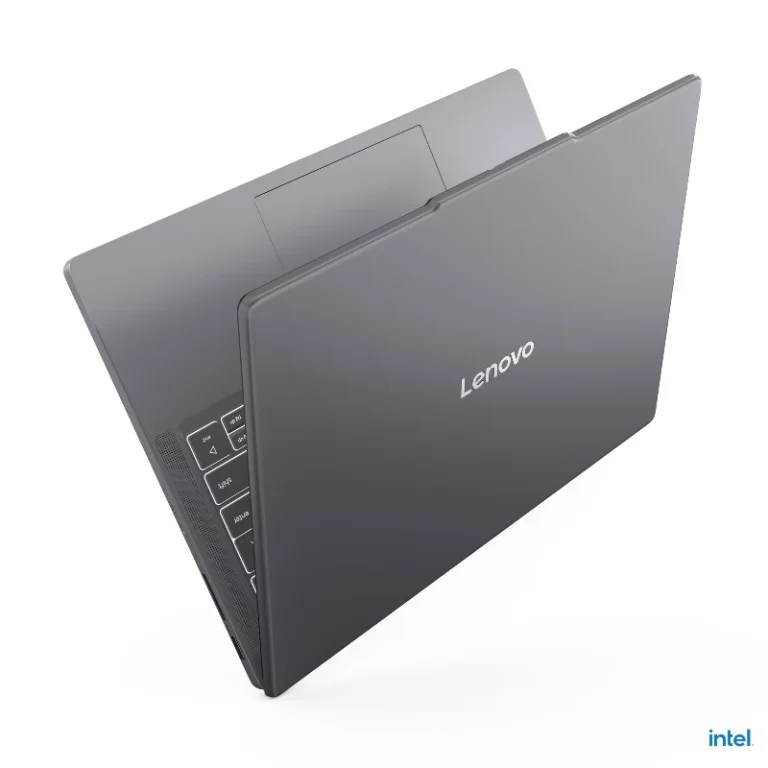
Lenovo IdeaPad Slim 3 14IRH10 (2025) – Core i5-13420H, 16GB DDR5, 512GB SSD, 14-inch WUXGA IPS Laptop, Luna Grey
In stock
Original price was: 96,999.00৳ .93,999.00৳ Current price is: 93,999.00৳ .| RAM | 16 GB, 8 GB |
|---|
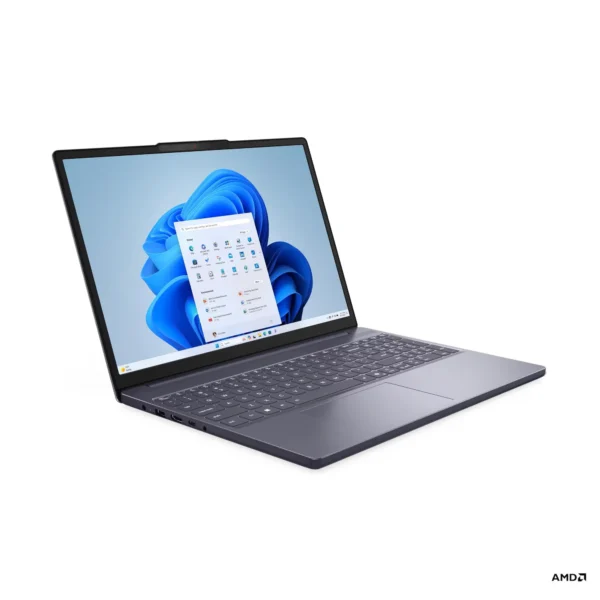
Lenovo IdeaPad Slim 3 15ARP10 (2025) | Ryzen 7 170 | 16GB RAM | 512GB SSD | WUXGA IPS 60Hz | 15.3”Touch Display | W11.
In stock
Original price was: 94,999.00৳ .94,499.00৳ Current price is: 94,499.00৳ .
Lenovo IdeaPad Slim 3 15IRH10 (2025) – Core i5-13420H, 8GB/16GB DDR5, 512GB SSD, 15.3-inch WUXGA IPS Laptop, Luna Grey
In stock
Price range: 77,999.00৳ through 91,999.00৳| RAM | 16 GB, 8 GB |
|---|
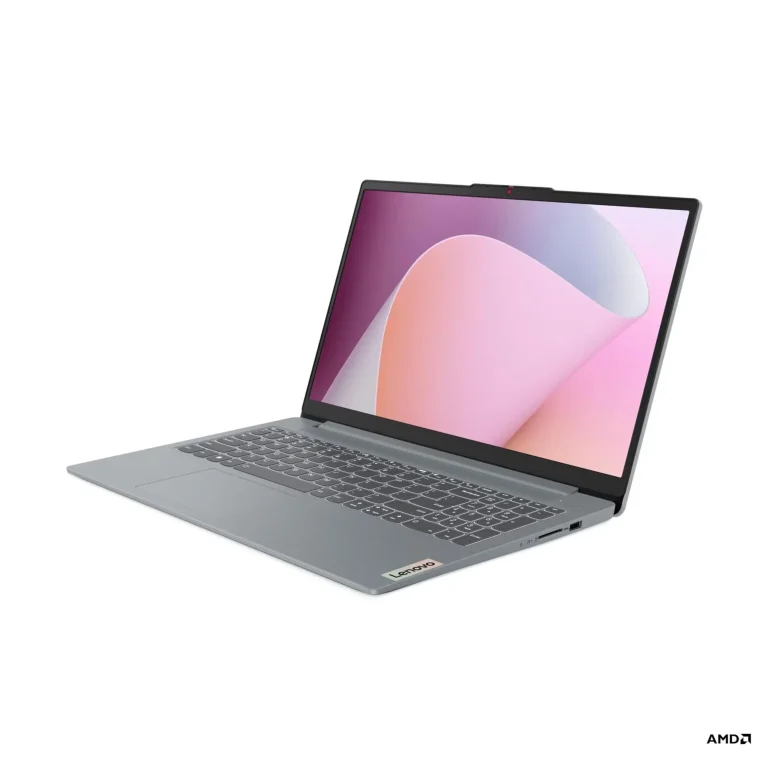
Lenovo Ideapad Slim 3 | 82XQ00RSUS | Ryzen 5 7520U | 8 GB LPDDR5 | 512 GB SSD | 15.6inch Touch Display.
Out of stock
Original price was: 63,499.00৳ .61,499.00৳ Current price is: 61,499.00৳ .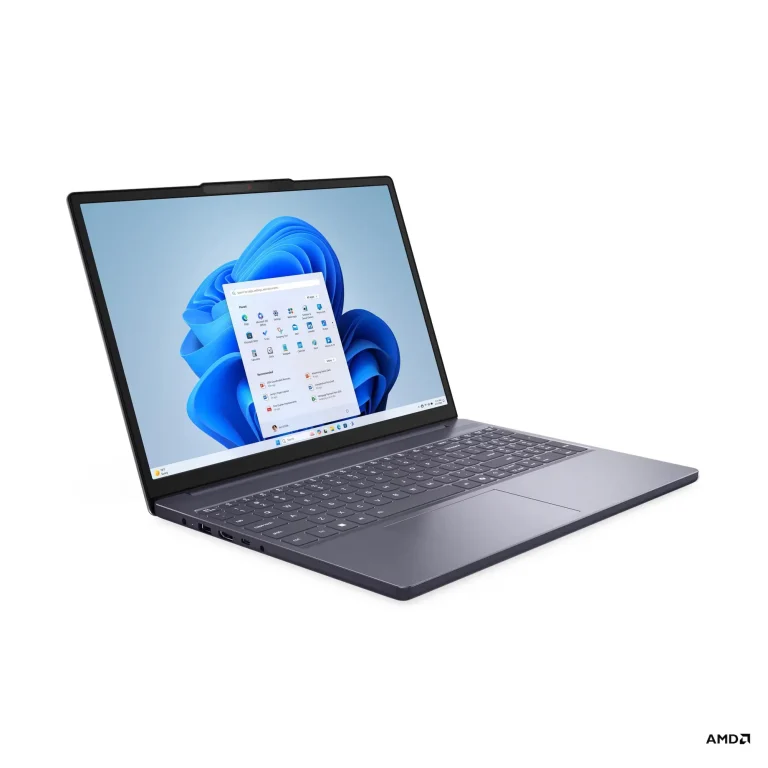
Lenovo IdeaPad Slim 3 15ARP10 | 2025 Model | Ryzen 7 7735HS | 16GB RAM | 512GB SSD | 15.3” WUXGA IPS 60Hz|
Out of stock
Original price was: 87,999.00৳ .85,999.00৳ Current price is: 85,999.00৳ .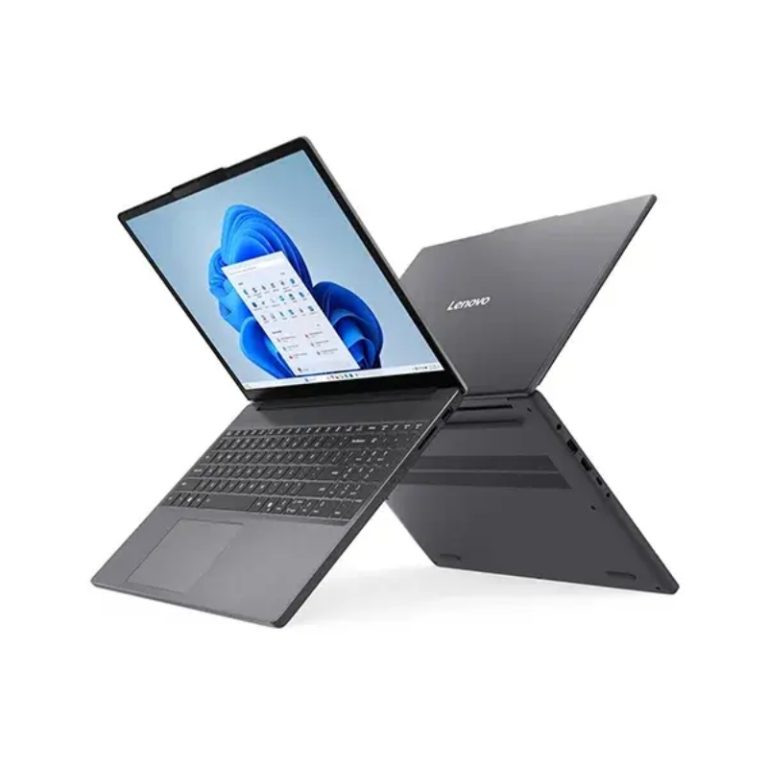
Lenovo IdeaPad Slim 3 15IRH10| Core i5 13420H | 16GB RAM 512GB SSD 15.3 Inch WUXGA Display. (Luna Grey )
Out of stock
76,999.00৳Lenovo IdeaPad Laptop Buying Guide for Bangladesh: Series, Size & Configuration
Lenovo IdeaPad is one of Lenovo's broadest consumer laptop families, but the current range is easier to understand when you divide it by purpose rather than individual model numbers.
Lenovo currently groups IdeaPad primarily into Slim, Pro and 2-in-1 families. The Slim range emphasizes portability and balanced everyday performance, Pro increases processing and display capability for more demanding users, while 2-in-1 models add touchscreen and convertible functionality. Lenovo describes Pro as the performance-oriented IdeaPad line, Slim as the mobility-focused option and 2-in-1 as the flexible convertible range.
The current range is concentrated mainly on IdeaPad Slim 3, while Slim 5, Pro and convertible models represent the wider IdeaPad family and may be added as inventory expands.
Lenovo IdeaPad Series Overview: Slim 3, Slim 5, Pro & 2-in-1
| IdeaPad Series | Main Character | Typical Hardware Direction | Best Fit |
|---|---|---|---|
| IdeaPad Slim 3 | Value-focused thin-and-light | Core/Ryzen processors, integrated graphics, 8GB-16GB RAM, SSD storage | Students, freelancers, programmers, office professionals |
| IdeaPad Slim 5 | More premium portable IdeaPad | Ryzen AI/Core-class processors, up to 32GB RAM, OLED options | Professionals, developers, buyers wanting better display and build |
| IdeaPad Pro 5 | Higher-performance IdeaPad | Stronger processors, higher memory, higher-resolution displays, selected dedicated-GPU options | Creators, advanced multitaskers, demanding professional use |
| IdeaPad 5 2-in-1 | Convertible productivity | Touch display, 360° hinge, pen support on selected models | Students, presenters, digital note-taking, flexible work |
| Older / regional IdeaPad ranges | Entry or specialized models | Configuration varies by market | Buyers comparing older or imported IdeaPad generations |
Each IdeaPad series is built around a different hardware level. Slim 3 focuses on value, Slim 5 adds better displays and stronger configurations, Pro raises the performance ceiling, and 2-in-1 models add convertible functionality.
Lenovo IdeaPad Slim 3: Current Processors, RAM & Display Options
Current Intel configurations such as the IdeaPad Slim 3 14IRH10 and 15IRH10 use the Core i5-13420H, an 8-core/12-thread H-series processor. Official Lenovo specifications show these models with DDR5 memory, PCIe 4.0 NVMe storage and integrated Intel UHD graphics.
The H-series processor is an important distinction. Slim 3 is often described simply as an affordable IdeaPad, but an H-series Core i5 configuration provides considerably more CPU capability than a basic low-power entry notebook. That makes these newer Slim 3 versions much more relevant for programming, development work, heavier browser-based workflows and professional multitasking.
The AMD side provides a different balance. Current IdeaPad Slim 3 15ARP10 configurations can use an 8-core/16-thread Ryzen 7 170 with Radeon 680M graphics, 16GB DDR5 RAM and a 512GB PCIe 4.0 SSD.
So the real Slim 3 decision is no longer simply “Intel or AMD.” You should look at the complete combination of processor, RAM, graphics, screen size and upgrade options.
Lenovo IdeaPad Slim 3 Screen Sizes: 14-inch vs 15.3-inch
Screen size is one of the easiest ways to narrow down the current models.
The 14-inch IdeaPad Slim 3 is the better direction when portability matters. Lenovo's 14IRH10 platform uses a 14-inch WUXGA 1920×1200 IPS panel, giving you a taller 16:10 workspace without making the laptop physically large. Some configurations include a backlit keyboard, IR camera and privacy shutter.
The 15.3-inch Slim 3 gives you noticeably more working space. Lenovo lists the 15IRH10 with a 1920×1200 16:10 IPS panel and a starting weight around 1.63kg on referenced configurations.
Neither size is automatically better.
If the laptop travels with you every day, the 14-inch chassis is easier to justify. If most of the work is done at a desk and you prefer more room for code, documents or multiple windows, the 15.3-inch version can be more comfortable.
| Your Priority | Better Size to Consider | Why |
|---|---|---|
| Frequent carrying | 14-inch | Smaller footprint and easier portability |
| Programming on the go | 14-inch | Portable while retaining a 16:10 workspace |
| Longer desk-based work | 15.3-inch | More physical screen area |
| Multitasking | 15.3-inch | Easier side-by-side window use |
| Compact university setup | 14-inch | Easier to carry between locations |
| Larger visual workspace | 15.3-inch | More comfortable without moving to a 16-inch chassis |
Lenovo IdeaPad Slim 5: Higher-Spec Displays, Memory & Build
Slim 5 is not simply a different model number.
It moves the IdeaPad Slim concept toward better displays, stronger memory configurations, more premium materials and newer processor platforms.
Lenovo's current IdeaPad Slim 5 Gen 10 15-inch AMD can be configured with up to 32GB LPDDR5X memory, 1TB Gen 4 SSD and a 15.3-inch 2.5K OLED 165Hz display with 100% DCI-P3 coverage. Lenovo also lists an all-metal chassis on applicable configurations and weights starting around 1.49kg for the OLED version.
That is a substantial step above a conventional Slim 3 configuration.
For a buyer, Slim 5 becomes relevant when the priority changes from simply getting a capable portable laptop to wanting better display quality, more memory, stronger long-term specifications or a more premium chassis.
This also allows Slim 3 and Slim 5 to cover different levels within the wider IdeaPad range as inventory expands.
Lenovo IdeaPad Pro Series: Higher-Performance Productivity Laptops
Lenovo positions IdeaPad Pro as the power-focused branch of the IdeaPad family.
That distinction is useful because buyers sometimes move from Slim 3 to gaming laptops simply because they need stronger performance. IdeaPad Pro can occupy the space between mainstream thin-and-light laptops and heavier gaming systems.
Depending on generation, Pro models can offer stronger processors, larger memory configurations, higher-resolution displays and more creator-oriented hardware. They are more appropriate when sustained processor performance, larger projects or higher-quality displays matter but the buyer does not necessarily want the chassis design or graphics focus of a gaming laptop.
Lenovo IdeaPad 2-in-1: Touchscreen & Convertible Models
IdeaPad 2-in-1 models take a completely different direction from the standard Slim range.
Lenovo's current 2-in-1 family uses a 360-degree hinge, allowing the device to work in laptop, tablet, tent or stand positions. Selected models also support Lenovo Digital Pen input.
A current IdeaPad 5 2-in-1 configuration can combine a Ryzen 7 8845HS, Radeon 780M graphics, 16GB LPDDR5X memory and 1TB PCIe Gen 4 storage.
The value of a 2-in-1 therefore comes from the form factor rather than simply having a touchscreen.
If you will genuinely use handwriting, touch input, presentation mode or tablet-style positioning, the additional flexibility can justify the configuration. If the laptop will remain in standard notebook mode almost all the time, a Slim model often gives a more straightforward purchase.
Intel Core i5 vs AMD Ryzen 7 in Lenovo IdeaPad Slim 3
Current Slim 3 configurations include both Intel H-series and AMD Ryzen platforms.
The Core i5-13420H found in current Slim 3 models provides 8 cores and 12 threads, with performance cores boosting up to 4.6GHz.
That processor makes the Slim 3 more capable than its budget-oriented name might suggest. It is particularly relevant when CPU performance is important but dedicated graphics are not required.
AMD configurations can provide a different advantage through stronger integrated Radeon graphics. The Ryzen 7 170 version of the 15ARP10 combines 8 cores, 16 threads and Radeon 680M graphics, alongside 16GB DDR5 memory.
For a buyer who needs stronger integrated graphics without stepping up to an NVIDIA-equipped laptop, that can be meaningful.
We would therefore choose between them by asking a more useful question: do you prioritize CPU-focused work, integrated-graphics capability, battery behavior or a particular configuration price?
The processor badge by itself does not answer that.
Lenovo IdeaPad RAM Options: 8GB vs 16GB & Upgradeability
Current IdeaPad configurations include both 8GB and 16GB RAM.
For lighter requirements, 8GB can function, but 16GB is the more balanced target for a new IdeaPad in 2026, especially for programming, professional multitasking and buyers who plan to keep the laptop for several years.
Upgradeability also differs by model.
For example, Lenovo's 14IRH10 specifications show configurations with 8GB soldered memory plus a DDR5 SO-DIMM slot, supporting up to 24GB on some versions. Other 14IRH10 variants use a single DDR5 SO-DIMM configuration.
The 15IRH10 also supports configurations with soldered memory plus one SO-DIMM slot, and Lenovo specifies two M.2 storage positions on referenced models.
This is why we would check the exact machine type before assuming that every Slim 3 has the same upgrade path.
Lenovo IdeaPad Storage: 512GB SSD & Expansion Options
Most current IdeaPad listings use 512GB NVMe SSD storage.
Lenovo's current Slim 3 platforms use PCIe 4.0 NVMe storage, and some 14IRH10 and 15IRH10 configurations support two M.2 2242 PCIe 4.0 slots with up to 1TB per supported drive.
That matters because storage upgradeability can add long-term value.
For a buyer deciding between more RAM and more storage, we would normally make sure the memory is sufficient first, particularly if the SSD can be expanded later. A laptop with 16GB RAM and 512GB expandable storage may be a better-balanced starting point than an 8GB model with more storage but limited memory.
Lenovo IdeaPad Integrated Graphics: Intel UHD & AMD Radeon
Unlike Lenovo LOQ or Legion, IdeaPad is not primarily a dedicated-GPU gaming family.
Current Slim 3 models use Intel UHD or AMD Radeon integrated graphics, supporting mainstream productivity while keeping power demand, heat output and chassis complexity lower than dedicated-GPU systems.
The strength of integrated graphics is not just lower cost. Removing a dedicated GPU generally helps reduce power demand, heat output and chassis complexity.
AMD configurations with graphics such as Radeon 680M can also provide significantly more graphics capability than very basic integrated solutions, making them useful for buyers whose workloads benefit from GPU acceleration but do not justify a separate NVIDIA GPU.
If dedicated graphics are a hard requirement, however, we would not try to force a Slim 3 into that role. Lenovo's LOQ and Legion families are more appropriate once gaming or GPU-heavy work becomes the primary requirement.
Lenovo IdeaPad Display Options: WUXGA, Touch & OLED
The current IdeaPad Slim 3 range shows why two laptops with similar processors can still feel quite different in daily use.
Many current models use WUXGA 1920×1200 16:10 IPS displays, which provide more vertical working space than traditional 1920×1080 panels. The current 14IRH10 specification, for example, uses a 14-inch WUXGA IPS display rated at 300 nits on referenced configurations.
The 15IRH10 platform is more varied. Lenovo's platform specification includes WUXGA IPS options and, on supported versions, even a 15.1-inch 2560×1600 OLED panel with 500-nit brightness, 165Hz refresh rate and 100% DCI-P3 coverage.
This creates meaningful display differences within the same broader IdeaPad family.
For a student or professional comparing several similar Slim models, screen resolution, brightness, refresh rate, color gamut and touch support can be some of the clearest reasons to select one configuration over another.
Lenovo IdeaPad Touchscreen vs Non-Touch Display Options
The current IdeaPad family contains both touch and non-touch configurations.
A touchscreen adds value when the buyer actually expects to interact directly with the display, while standard non-touch models remain perfectly appropriate when keyboard-and-touchpad use dominates.
Lenovo offers touch-enabled variants within the 15IRH10 platform, including configurations with a 15.3-inch WUXGA IPS multi-touch display.
A touchscreen should therefore be treated as a preference rather than an automatic upgrade.
If two otherwise similar IdeaPads are separated mainly by touch functionality, ask whether touch will actually be used. If not, the budget may be better spent on RAM, processor or display quality.
IdeaPad Display and Configuration by Use Case
| Requirement | IdeaPad Direction | RAM to Target | Storage | Display Priority |
|---|---|---|---|---|
| University & research | Slim 3 14 / 15 | 16GB preferred | 512GB | WUXGA 16:10 |
| Programming & development | Slim 3 H-series / Slim 5 | 16GB+ | 512GB-1TB | 14-15.3 inch 16:10 |
| Professional mobility | Slim 5 / compact Slim 3 | 16GB | 512GB | Lower weight, brighter panel |
| Freelance productivity | Slim 3 / Slim 5 | 16GB | 512GB-1TB | WUXGA or better |
| Display-focused work | Slim 5 / higher-panel Slim 3 | 16GB-32GB | 1TB preferred | 2.5K/OLED, wider color gamut |
| More demanding productivity | IdeaPad Pro | 16GB-32GB | 1TB | Higher-resolution display |
| Touch & convertible workflow | IdeaPad 5 2-in-1 | 16GB | 512GB-1TB | Touchscreen + 360° hinge |
This is a better way to navigate the category than simply looking for the highest processor number.
Lenovo IdeaPad Battery Capacity, Rapid Charge & Portability
Battery specifications vary by IdeaPad model rather than being fixed across the range.
Current 14IRH10 configurations use a 50Wh battery on the referenced Lenovo specification, while the 15IRH10 platform can be configured with 50Wh or 60Wh batteries depending on model.
Slim 5 moves further in the mobility direction. Lenovo's current 15-inch Slim 5 Gen 10 supports up to a 70Wh battery and Rapid Charge, with Lenovo stating that a 15-minute charge can provide up to two hours of video playback under its specified conditions.
Battery capacity should still be read together with processor, display and workload.
A larger battery does not guarantee longer real-world runtime if the laptop also uses a brighter OLED display or higher-performance processor.
For buyers who regularly move between locations, we would compare weight, battery capacity, charging support and adapter size together, rather than focusing on one battery-life number.
Lenovo IdeaPad Ports, Keyboard, Camera & Connectivity Features
IdeaPad specifications vary enough that these features should be checked on the individual model.
Current Slim 3 platforms can include a webcam privacy shutter, backlit keyboard, FHD/IR camera, SD card reader, USB-C, USB-A and HDMI, depending on the exact configuration.
Slim 5 extends this further on newer models with features such as IR Smart Login, full-function USB-C with Power Delivery and DisplayPort, HDMI 2.1 and Wi-Fi 6.
These are not headline processor specifications, but they often determine whether the laptop is comfortable to use every day.
A backlit keyboard matters if you work in low light, a privacy shutter gives direct camera control, IR login is convenient for frequent lock/unlock cycles and full-function USB-C becomes valuable when connecting displays, docks or chargers.
What Affects Lenovo IdeaPad Laptop Prices in Bangladesh?
IdeaPad pricing varies according to the complete hardware configuration, not only the series name.
Processor class is one factor. A lower-power Ryzen configuration, Core i5 H-series model and a newer Ryzen AI Slim 5 do not occupy the same hardware tier.
RAM creates another difference, particularly when comparing 8GB and 16GB configurations. Display specifications can also change the value significantly, especially when moving from a standard WUXGA IPS panel to touch, higher-resolution or OLED options.
Storage, battery capacity, build materials, camera specification and features such as a backlit keyboard can add further differences.
Selected products also provide configurable memory or other options, meaning one fixed price cannot represent every version.
Current in-stock models start from around ৳77,999, while the live product price reflects the exact configuration and current availability.
How We Would Choose Between Two Similar IdeaPads
Similar-looking IdeaPad models can still differ significantly in processor, RAM, display, graphics and upgradeability.
Processor class is one distinction, followed by differences such as 8GB versus 16GB RAM, display size and quality, SSD capacity and expansion support.
A 14-inch Core i5 H-series model with 16GB RAM provides a different balance from a 15.3-inch Ryzen configuration with stronger Radeon integrated graphics and a larger display.
Price differences between IdeaPad models are therefore often tied to practical hardware changes rather than the model number or exterior design alone.
Buy Lenovo IdeaPad Laptops with Easy EMI in Bangladesh
IdeaPad covers several price levels, from lower-memory Slim 3 configurations to higher-spec Slim 5 and Pro models.
Easy EMI is available on eligible purchases, providing more payment flexibility across different processor, RAM, storage and display configurations.
The applicable EMI option can be checked together with the selected configuration and live product price.
Lenovo IdeaPad Laptops at SidTech
The current IdeaPad range includes several configurations rather than one fixed Slim 3 specification.
Available differences include Intel and AMD processors, 14-inch and 15.3-inch displays, different RAM capacities and touch or non-touch panels.
We offer market-guaranteed low pricing, together with easy EMI on eligible purchases.
Current processor, memory, display, storage, upgrade options and live pricing can be checked directly on each product page.
Frequently Asked Questions About Lenovo IdeaPad
Lenovo IdeaPad Slim 3 vs Slim 5: What Are the Main Differences?
Slim 3 is the more value-focused range, while Slim 5 moves toward better displays, larger memory configurations, more premium materials and newer processor platforms. Current Slim 5 Gen 10 models can offer up to 32GB RAM and a 2.5K 165Hz OLED display.
Is the Core i5-13420H IdeaPad Slim 3 Suitable for Programming?
Yes. The i5-13420H is an 8-core/12-thread H-series processor, so it offers considerably more processing capability than basic entry-level notebook CPUs. Pairing it with 16GB RAM is the more balanced configuration for development and heavier multitasking.
Why are some IdeaPad Slim 3 models much cheaper even when the processor looks similar?
RAM capacity, display size, touch support, storage, battery, operating system and memory layout can all change the final configuration. Two Core i5 Slim 3 laptops are not necessarily identical purchases.
Can I add more RAM to an IdeaPad Slim 3 later?
Some models allow expansion, but the layout varies. Lenovo's 14IRH10 and 15IRH10 platforms include configurations with soldered memory plus a DDR5 SO-DIMM slot, while other variants use a different arrangement. Check the exact model number before buying if RAM upgrades matter.
Does IdeaPad Slim 3 support a second SSD?
Selected 14IRH10 and 15IRH10 configurations provide two M.2 PCIe 4.0 storage slots according to Lenovo's PSREF specifications. Support can vary by exact model, so confirm the machine type before planning an upgrade.
Which IdeaPad screen size is easier to carry every day?
The 14-inch Slim 3 is the more compact option. The 15.3-inch version provides more physical workspace but starts around 1.63kg on referenced configurations.
Should I choose Intel UHD or AMD Radeon graphics on an IdeaPad?
Choose based on the exact processor rather than the graphics brand alone. AMD configurations such as the Ryzen 7 170 include Radeon 680M graphics, which provide stronger integrated graphics capability than basic solutions. Intel H-series configurations may still be preferable where CPU performance or a specific configuration offers better value.
Is a touchscreen worth paying extra for on IdeaPad?
Only if you expect to use it regularly. Lenovo offers touch variants of the Slim 3 platform, but for buyers who work mainly with a keyboard and touchpad, RAM, display quality or processor performance may be a better place to allocate the budget.
When should I move from IdeaPad to Lenovo LOQ or Legion?
Move toward LOQ or Legion when dedicated NVIDIA graphics and sustained gaming performance become primary requirements. IdeaPad is better optimized around portable mainstream productivity, while LOQ and Legion are gaming-focused families.
What should I check before buying an imported or region-specific IdeaPad configuration?
Check the exact model number, processor, RAM layout, SSD, display specification, keyboard, included operating system and warranty arrangement. Lenovo produces many region-specific configurations under the same IdeaPad model family.
Lenovo LOQ- https://sidtech